So, fall 2021 we had a mouse in our apartment. We were not prepared. We were so very, very not prepared…
CW: poop horror, the mouse dies
Ignorance is bliss
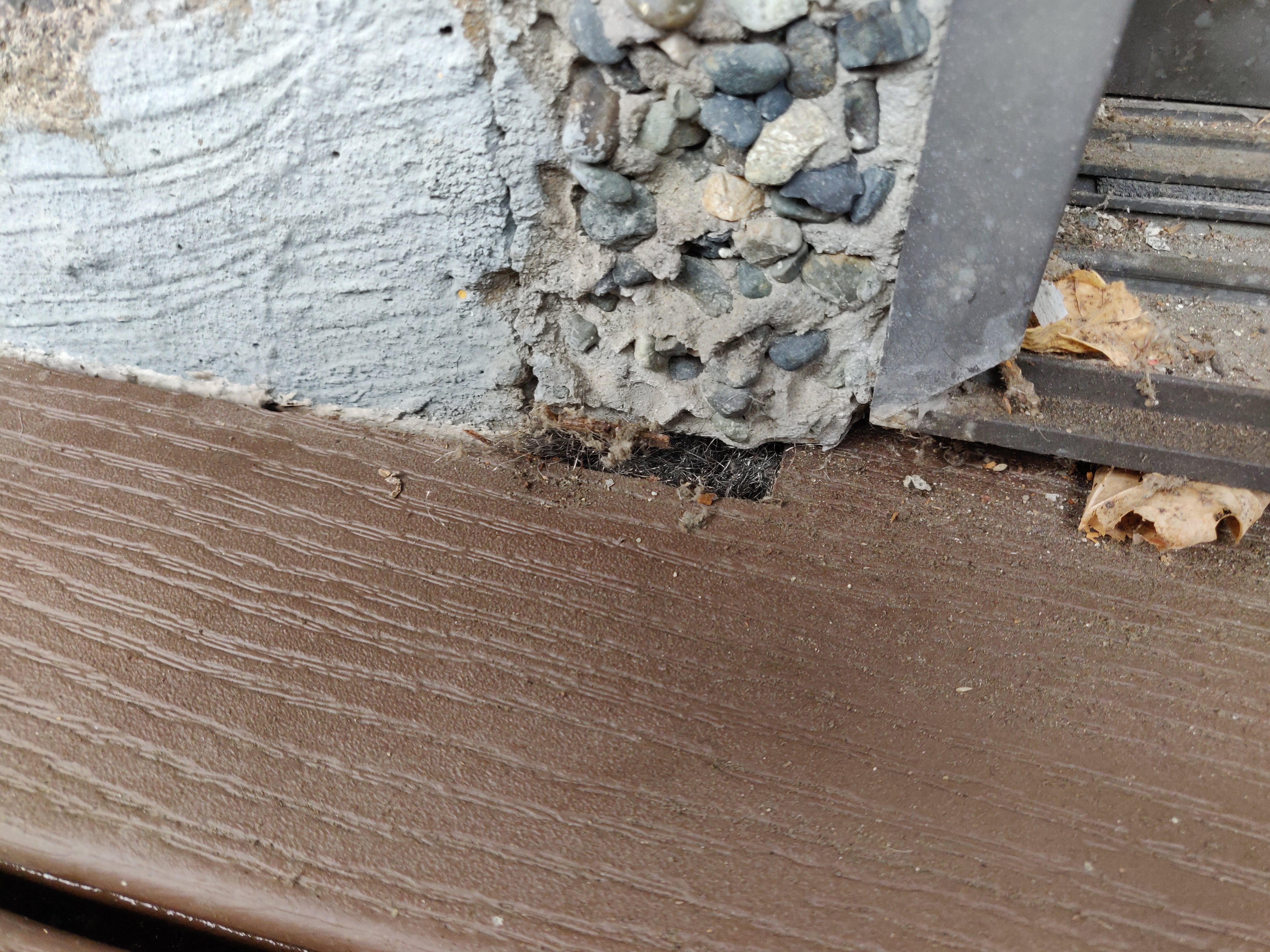
The first mouse sighting was actually at the end of September. Pete was telling me about how he’d seen a mouse under my computer, and then it popped up on the deck, in broad daylight, investigating the plants. We went out to look, and it quickly ran back to a hole that clearly led into the building. We bought a no-kill mousetrap and set it, but the next day we had to leave for a week of petsitting. Not wanting to come back to a starving and/or decomposing mouse, we put the trap away.
When we returned, the mouse had left a gift of poop behind a cushion on the floor, but that seemed to be it. The trap didn’t catch anything that week, so we thought maybe he’d gotten bored and moved on. At least last year’s decision to put most of our food in plastic bins now seemed smart instead of paranoid. :)
A very one-sided game of telephone tag
For a few weeks we thought he was gone – and then spotted him again. I was a bit busy, but eventually set out the mousetrap and put in a maintenance request mid-october. On the 19th, I got a voicemail from the head maintenance guy asking me to call him. I left him a voicemail in return, then tried again later that day. A week later, I remembered he never called back, tried again, and eventually left a second voicemail. The second week (and beginning of November), I tried some more, then called and texted the building manager to see if he knew anything. A few days later I added an email. Radio Silence. By this point I’m wondering if they’ve both got covid and ended up in hospital (or worse).
Three days after the email, just as I’m about to submit a second paper form to see if someone else has taken over answering them (and look up the phone number of the company my rent cheques go to), I get a reply to my email! :) The building manager hasn’t been able to contact the head maintenance guy either, but he’s on it, and will get back to me. A few days later there’s a maintenance guy at the door; he puts steel wool into the holes I’ve found and tells me to call when/if the mouse comes back. He also mentions that the head guy is fine; they’re just really overbooked. Neither of us think to look behind any furniture, and he says our place seems clean, so I figure I’ve done things right and maybe I’ll get lucky and not see the mouse again. It’s not like we had anything for him to eat, right? Aahahahahahaaa. 🤣
Water interlude
November 16th, a few days after Merritt was washed away and Sumas Lake reclaimed half of Abbotsford, I found a little water damage of our own. Who’d have guessed that steel wool keeps out mice but not water? 😛 My most recent piece of IKEA furniture has a wonky corner now, and the carpet was soggy again, but having no highways connecting BC to Alberta kind of made that seem like a minor problem. And lucky for us, none of the subsequent rains were heavy enough to get in, because the maintenance guy still hasn’t had time to waterproof it (it’s March, FFS).
That was also the day the mouse was seen and heard again. It sounded like he was either in the walls or our bedroom, but it was hard to tell. I found a new hole near the old holes, but the hardware store was out of steel wool. My landlord gave me scrubbing pads meant for the kitchen, which I kinda managed to shove into the holes anyways. The next hole was small enough I plugged it with an earplug the maintenance guy had left behind (partly to see if the mouse would push it out, which he eventually did).
Poopocalypse
November 22nd, after reminding them about waterproofing the hole again, I felt like having oatmeal for breakfast. I’d bought a box of assorted flavours months ago and forgotten about them. The flimsy little brown paper sachets of instant oatmeal. Which I was keeping in an open bin. 🤦 Yeah, that mouse had a feast in there. And left a very disgusting mess in the back of that cupboard. One that made me cough after inspecting it (and the cough stuck around enough to delay my dentist appointment). Then something prompted me to look behind the couch that we haven’t moved in like a year, and under the radiator back there was poop. So much poop. I had no idea one mouse could poop that much. :/
I had a wee bit of a freakout at that point. One of the main reasons I don’t want a pet is that I’m not okay with cleaning bodily fluids (or not-so-fluids) out of carpets. Or any other surfaces, really. It brought up some very unpleasant memories. But Pete was there to help, and we came up with some vague plans to get more traps and do some cleaning. Originally Pete wanted to bleach it, but when I brought up bleach safety rules he changed his mind, and my experience with pets was one of using vinegar and baking soda. Neither of us knew there was anything more to know about the situation. The maintenance guy had just said to contact them when/if it returned, but since they seemed so busy, I just mentioned it as an aside in some of the water emails.
I went off to the hardware store for more traps – lethal ones this time. Still no steel wool there, and I couldn’t figure out how to set the cheap snap traps, so I got some fancier ones and then grabbed a handful of something labelled “glue traps” that an employee recommended. Pete didn’t want to touch those, and that night I looked up how to dispose of them and found out exactly why he wouldn’t touch them. 😬 I didn’t sleep much that night. They are true nightmare fuel (although I can handle using them on bugs).
I went back for more snap traps the next day; luckily Pete’s much better at setting them than I am (he says they still weren’t set quite right, because they weren’t on an absolute hair trigger). The mouse still wasn’t taking the bait, at all, whether it was peanut, almond butter, or even nutella. Around this time we named him Houdini.
Cleaning blitz
The next week I spent doing almost nothing but cleaning. Pete was putting out multiple fires at work (and log4j hadn’t even happened yet) so I did the bare minimum of physio to hold my body together, and channelled all my chaos energy into dinner (which got me two new dishes I like, and probably did help maintain sanity). I was having three sips of Pete’s coffee every morning to keep me focused and inhibit muscle spasms, then picking a section of carpet and/or cupboard to vacuum and scrub with borax, vinegar and/or soap, then vacuuming again once it was dry to get leftover borax out of the carpet. The more furniture I moved, the more poop I found.
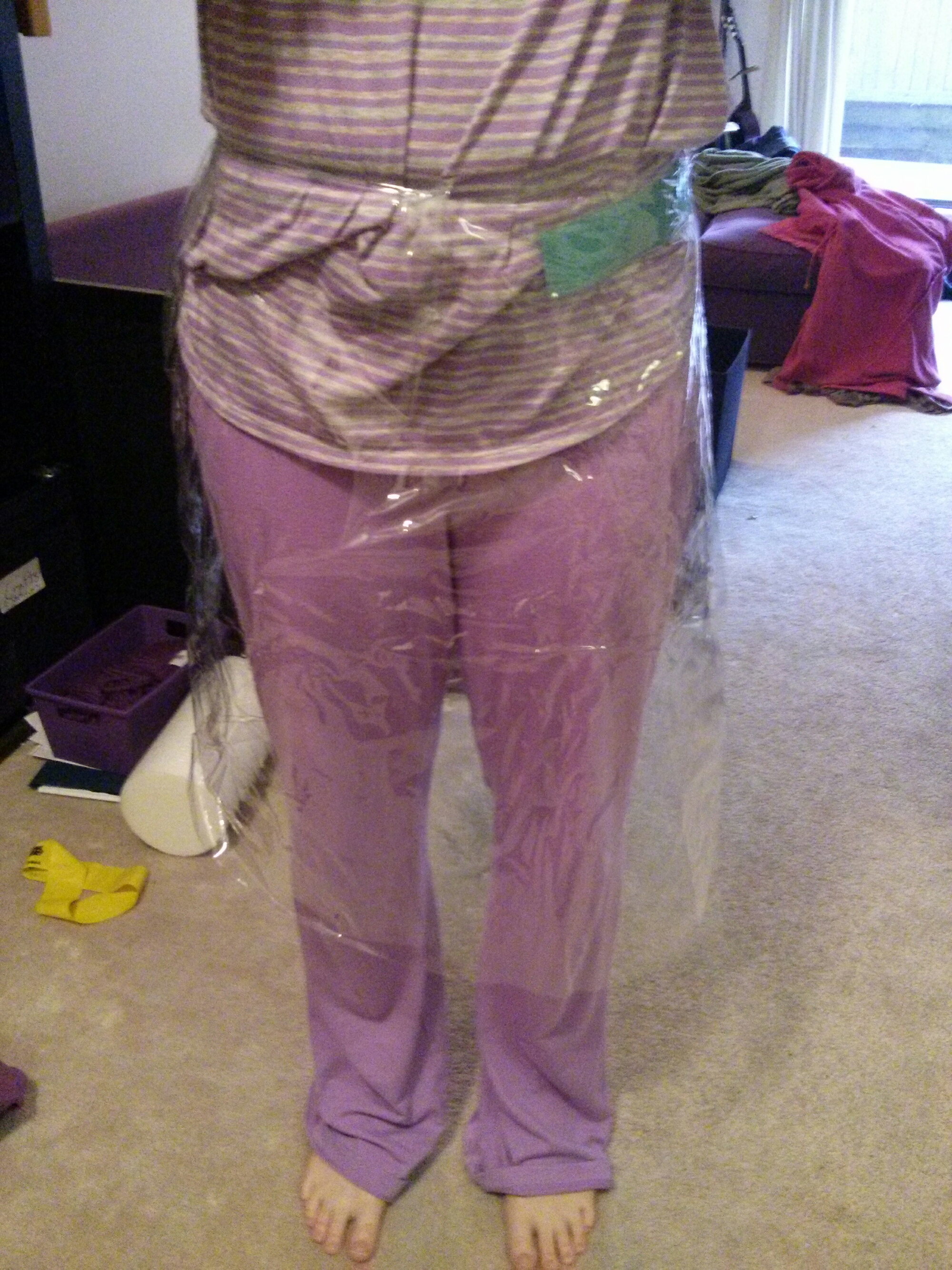
On the bright side, it turns out that having a bit of protective gear, especially the mask, makes cleaning up poop a lot less disgusting. Thank fuck for that, because I was very very close to my limits as it was. Impressively, my body held out with only minor spasms until day 8 (November 30), when I started to get some warning signals. December 1st my heart started to object to the caffeine; luckily I had to take a break that day anyways for a dentist appointment. (That appointment also took us past a hardware store that did have steel wool in stock, yay!)
Somewhere in there, we started hearing Houdini in the bedroom again. Loud enough to keep us awake, randomly throughout the night. I even pulled the dresser away from the wall to see if it was behind it, waited there flashlight in hand, and saw nothing. But for November 30th we decided to take a break and visit the one friend’s house we’ve been in since march 2020; I was gonna dye my hair, so the night before I went to get my dyeing shirt from the bottom of my dresser, and found poop. I hadn’t realised how little I use the dresser during covid times; forgetting that I wasn’t wearing a mask, I opened all the drawers and inspected them properly, and he’d left little gifts in the back of every drawer except the underwear one. While it was a huge relief that he hadn’t reached my underwear, I might have figured things out a lot sooner if he had.
So then that day was cleaning and laundry. I washed almost all the clothes I own, in the end. But at least we had removed his chew toy (which turned out to have tiny invisible-from-the-side holes in two places), and I was slowly eliminating hiding places, cleaning them out and leaving furniture well away from the wall. I put a lot of things in plastic boxes, too, since he hadn’t tried to chew even the flimsiest of plastic in the kitchen.
I couldn’t stop him from climbing the dishwasher hose to visit the counters, though. I also found another food source: one of our juggling balls had been full of couscous, and he ate most of it. I had to throw out several balls from that bin, and some really nice glow-in-the-dark poi I got in Berlin. :( By this point I was seriously considering my friend’s offer to loan us his cat.
It wasn’t until November 30th that I did some of the googling I should have done from the start, and found out that there are government guides for dealing with mouse infestations. And that I was doing multiple things they said not to. Turns out mice here can carry Hantavirus, which is much deadlier than covid and has about the same lack of treatment options (which are all taken up by covid patients now anyways). Yikes. It turns out it’s not very common at least, but we’re lucky that this mouse didn’t have it; at that point I was already about 90% done the cleaning, had gotten a cough from it twice, and really didn’t think my body or mind could handle redoing it all in bleach. I’m not even sure I physically could have removed that much poop from carpet without a vacuum.
Ding dong the mouse is dead
The evening of December 1st was when we finally fucking caught him. He’d been out in the living room while we were at the dentist; Pete startled him when we got back, and we set out traps around the desk he hid behind. It wasn’t long before he hopped over them and ran off to the kitchen. We thought we’d lost him there for a while, so I started making dinner. Turning the oven on must have flushed him out, and I saw him run from the stove to the fridge.
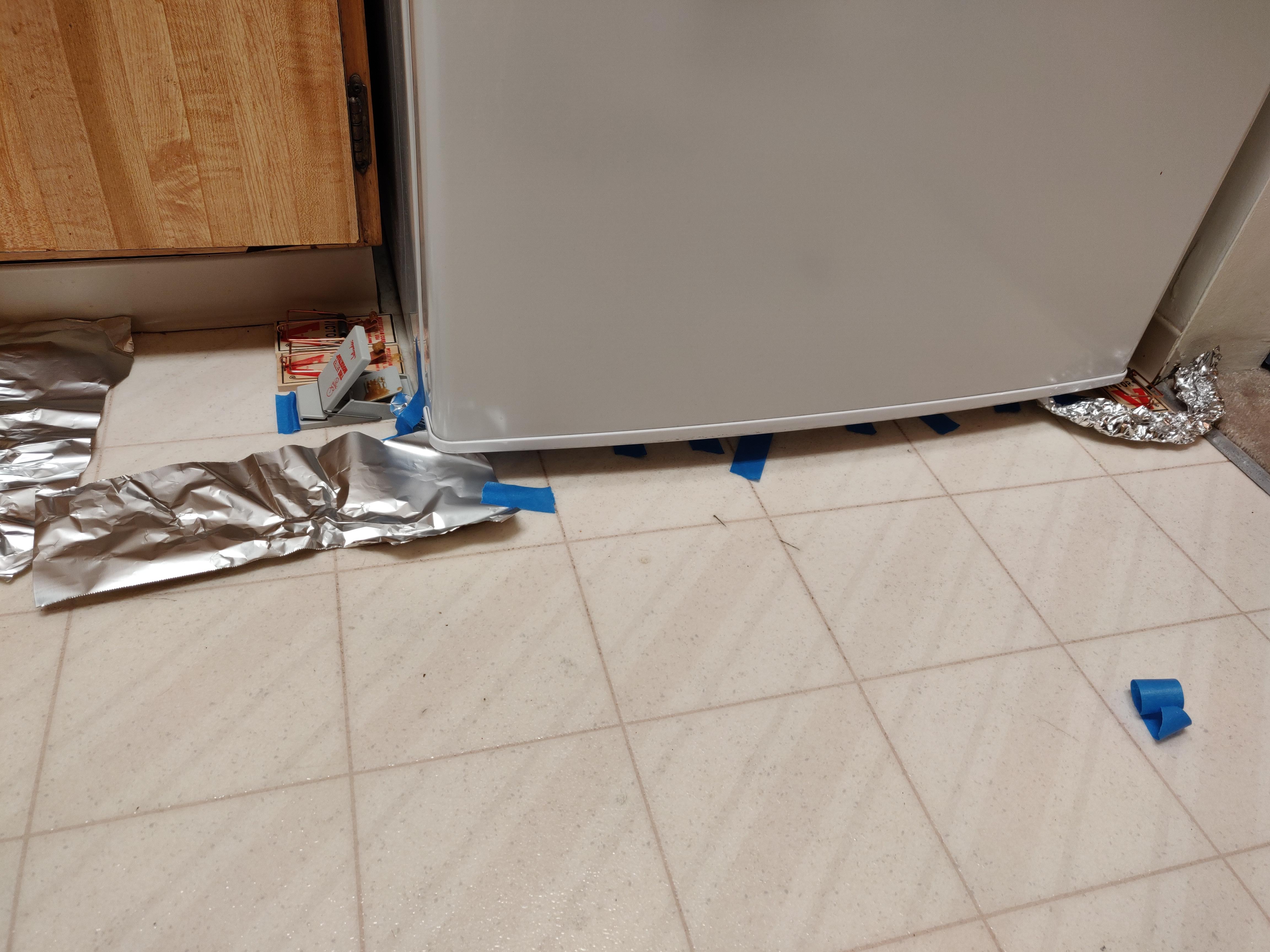
At that point I was So Very Done With This Shit, and started covering all exits with tinfoil and traps. I put an extra layer of tinfoil past the traps to make noise when he got past them, then got back to cooking. Sure enough, when I looked up later, he had just climbed over a pack of four traps. My swearing scared him backwards into them, everything went snap, and he was caught right on the neck – a quick and relatively clean death, thankfully. Although I did have to hold the trap down so his death throes didn’t send him back under the fridge. :/
We got the corpse bagged up and into the dumpster immediately; I had the most bizarre reluctance to believe he was really dead until he was physically gone as well. There was a lot of swearing and laughing that evening, as I came down from the adrenaline of it all. Every so often I’d just sigh and go “Holy shit. Holy shit!” 😂
Aftermath
After that, there was still cleaning to do, but there was a light at the end of the tunnel. We were 90% sure he was alone, so no additional poop was being produced; I just had to finish drawing the rest of the fucking owl cleaning the rest of the apartment (and inspect every box and drawer to see where else he’d hidden poop). We finally got something resembling proper sleep – although it was still interrupted by every small noise as our brains went “is that a mouse? How about that?” :/ It took a week spent with the in-laws for xmas, where any noises were Definitely Not My Problem, for me to retrain my brain out of its hypervigilance.
I was done the cleaning December 10th, 2.5 weeks after I started (going a little slower and limiting myself to 1-2 sips of coffee), but it was really hard to get myself to stop. You know how it’s dangerous for a horse to go from a gallop to a dead stop (which is probably the origin of the phrase)? Kinda like that; I felt like I had to wind down slowly from the cleaning blitz. Plus the silver lining to all that cleaning was a chance to reorganize everything; I moved the living room furniture to a layout Pete had wanted to try out, and it was like we magically had more space. :) I turned what had been a bookshelf into more kitchen storage, and used some of the many plastic boxes I’d bought to store the books I wasn’t going to read anytime soon. Then I wanted to do a turkey dinner before xmas (since xmas dinner would be excellent vegan food instead). I thought I’d rest over xmas, but as we were packing to leave I got a migraine minutes before we were picked up. I’m just glad the pain only lasted one day, after pushing myself so hard. Once I recovered, all the light and sound and socializing was still more draining than I expected, but at least it was fun. :)
It wasn’t until January 1st that my body finally got the message that it was rest time. Since it didn’t make that transition easily, I spent the first half of January just doing the minimum and letting time be a blur. Although I couldn’t stop my brain from composing half this blog post in the shower back then. ;) It took me the rest of January to catch up on normal cleaning, and then I got to do more organizing for february – by which point my friends had their own mouse to deal with. I hope it goes better for them, but their house has a lot more hiding places. :/



 ChaniBlog